
Accessibility
At Tailwind, we’re committed to making your brand and website clear, readable, and usable for as many people as possible.
Accessible design makes websites easier for everyone to use, improves search visibility, and is now an expected part of meeting many government web standards in New Zealand and worldwide.
More importantly, it ensures no one is left out: whether they have a disability, use assistive technology, have limited connectivity, or are simply viewing your site on a different device. With digital platforms at the heart of how we live and work, creating inclusive online experiences is both a responsibility and a smart business decision.
In New Zealand, around 851,000 people (17% of the population) identify as having a disability, and that number is growing as our population ages. Without accessible design, a large group of potential users and customers can be unintentionally excluded.
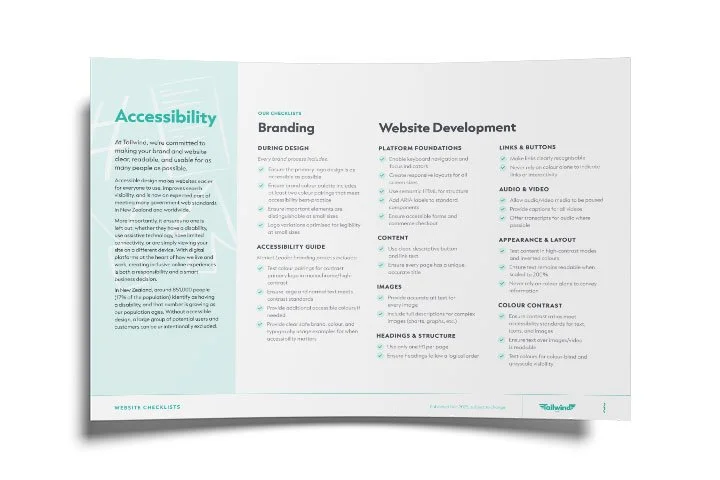
Branding
Accessibility is incorporated across all of our brand design packages. This includes:
- Ensure the primary logo design is as accessible as possible
- Ensure brand colour palette includes at least two colour pairings that meet accessibility best-practice
- Ensure important elements are distinguishable at small sizes
- Logo variations optimised for legibility at small sizes

Accessibility Guide
As part of our Market Leader design package, we include accessibility recommendations in your brand guidelines document. This includes:
- Test colour pairings for contrast primary logo in monochrome/high-contrast
- Ensure large and normal text meets contrast standards
- Provide additional accessible colours if needed
- Provide clear safe brand, colour, and typography usage examples for when accessibility matters
- Provide accurate alt text for every image
- Include full descriptions for complex images (charts, graphs, etc.)
Website Development
- Enable keyboard navigation and focus indicators
- Create responsive layouts for all screen sizes
- Use semantic HTML for structure
- Add ARIA labels to standard components
- Ensure accessible forms and commerce checkout
- Test content in high-contrast modes and inverted colours
- Ensure text remains readable when scaled to 200%
- Never rely on colour alone to convey information
- Use clear, descriptive button and link text
- Ensure every page has a unique, accurate title
- Make links clearly recognisable
- Never rely on colour alone to indicate links or interactivity
- Ensure contrast ratios meet accessibility standards for text, icons, and images
- Ensure text over images/video is readable
- Test colours for colour-blind and greyscale visibility
- Use only one H1 per page
- Ensure headings follow a logical order
- Allow audio/video media to be paused
- Provide captions for all videos
- Offer transcripts for audio where possible